Lesson 6
What Is Scope?
Learn how global, instance, and local variables decide where data can be read or changed in GML.
The scope of variables
GM is a little quirky with variables. A lot of other programming languages have lots of rules about when and how you can access variables.
GM is a lot more easy-going in this regard. It generally makes it relatively easy to access different variables throughout your code.
That being said, not all variables are created equal in GM. In fact, there are three different “classes” of variable: global, instance and local. Which one you use depends on how and where you are going to use it.
So far, we have been declaring and treating variables as though they are instance variables. So lets do a deeper dive into what the different variable types are and how you might want to use them.
Global variables
Global variables are accessible from anywhere.
Generally, you’d declare all your global variables at the start of your game, and once you’ve done so, you can read or write to them at literally any point in your code.
In order to declare and use global variables, you need to prefix the variable name with global. like so:
global.player_name = "Rodney";After you have done that, that variable is accessible from anywhere, to read or write to: show_debug_message(global.player_name); for instance. This is both a blessing and a curse.
Too often, when beginners run into problems trying to access a particular variable, they decide “Ah, I’ll just make it global”.
Fear leads to anger, anger leads to hate, hate…leads to global variable abuse. This is the path that leads to the dark side, my friends.
Global variables should be used explicitly for data that absolutely needs to be able to be accessible anywhere at any time.
The hp of the player or enemies shouldn’t be global variables.
The x and y position of a UI element shouldn’t be global variables.
Instead, global variables should be reserved for things like game settings (audio volume, game resolution, etc) or constant data that needs a place to live outside of specific objects and across rooms (perhaps the number of points your player has earned over their playtime).
Using audio volume as an example, we’ll likely want to access that every time we play a sound, whether it’s in an enemy object, or the player object, or a button on the UI. It doesn’t have a “natural” place to live, in other words, outside of the “global scope”.
So we’ll probably make it a global variable (there’s some slight complications here in regards to “good code”, but nothing that a beginner needs to worry about yet).
Instance variables
Instance variables are declared in objects and live inside the instances that are created from those objects during the game.
We’ve already been declaring many instance-style variables over this course already, so the pattern should be familiar to you. No prefix before the variable name, just a plain declaration:
my_instance_variable = "Yes";That’s an instance variable. You declare them in an object, and every instance created from that object gets a unique copy of the variable.
This is exactly where hp should live. Your enemies will likely want a hp variable so they can take some damage without dying, so you’d declare that in the obj_enemy object,
hp = 100;And then every enemy instance gets a unique copy of it, which means changing the hp in one instance won’t effect the hp of all the other instances.
Any instance variables exist for the entire duration of the lifetime of the instance. So once you’ve declared them, they will stick around until the instance they are declared in is destroyed.
Instance variables are only accessible from the “scope” of the instance itself (more on scope in a moment, but essentially “from within the instance”).
Local variables
Local variables are a special case variable which only exist for a limited time. They are most useful for “transient” type data, something you don’t need to exist the entire time the game is running, or the full lifetime an instance exists, but is useful to store something for a moment.
Think of them like a throwaway scratch pad to keep track of something for a moment.
We declare local variables by using the keyword var:
var _colour = c_red;Once you’ve declared them, they exist for the duration that the event or function that you’ve declared them in is running, and then they are destroyed.
So, for example, let’s say that you want to draw a bunch of red rectangles. You might want to colour them orange, but first you want to try red. You can store the red colour in a local variable at the start of your Draw Event, then use that local variable anywhere you want the red colour.
Later on if you decide to you don’t like red and want the orange instead, it’s very simple to just change the local variable declaration to orange once, instead of hunting down all the specific places you used the colour.
Draw Event
var _colour = c_red;

draw_rectangle_colour(10, 10, 20, 20, _colour, _colour, _colour, _colour, false);
draw_rectangle_colour(10, 30, 20, 40, _colour, _colour, _colour, _colour, false);
draw_rectangle_colour(10, 50, 20, 60, _colour, _colour, _colour, _colour, false);
Some transient data which doesn’t need to exist for the whole life of the instance, but is still useful to have on hand for that moment.
Once the Draw Event has finished executing its code, the _colour variable is destroyed, and then recreated the next time the Draw Event runs.
This also means that you could use another local _colour variable in the Step Event and the two variables won’t conflict with each other (since they are technically entirely separate variables, even if they share a name).
Local variables become extra useful when dealing with loops and recursive code, but we’ll handle those topics in a later course.
Uhhh…scope?
So I’ve mentioned scope a few times now without properly explaining what it is. It’s a core concept to both GM and programming in general and it’s deeply linked to variables and access.
Scope is essentially the “container” that the currently executing code sits in, and it determines what you have access to.
For instance, let’s say that you have two objects: obj_player and obj_enemy.
You have declared hp variables in the Create Event of both objects, which means that when you create an instance of the player and an instance of the enemy, they both have their own unique hp variables attached to them.
You are writing code in the Step Event of the player.
This means that the “scope” you are currently sitting in is obj_player. You can natively access any variable in that scope (in other words, any variable that has been previously been declared in obj_player) without any fanfare:
hp = hp - 1;Will reduce the value of the players hp variable by 1. Simple and easy.
But how do you deal damage to the enemy? How can you access the specific hp variable that is attached to the enemy, not the player?
Or worse, what if there are multiple instances of the enemy? How do you decide which enemy instance out of the many you are intending to deal damage to?
This problem is just an example of the overall scope problem every beginner inevitably runs into. I want to access X but I don’t know how, and when I try my game crashes.
This tends to be where beginners start to slowly unsheath their global variables, like a double-edged sword, ready to slay the problem and, unwittingly, their codebase at the same time.
Instead, what we want to do is change the scope to the correct one, so that we can access the variable we are interested in.
In GM, each instance has a unique reference, and you can use those references to temporarily change scope to the corresponding instance. The many ways you can get that reference is another can of worms, but one of the more common is checking a collision.
var _inst = collision_point(mouse_x, mouse_y, obj_enemy, false, true);If you check the return value of collision_point() in the manual, we can see that it returns an Object instance (a reference in other words) or the keyword noone.
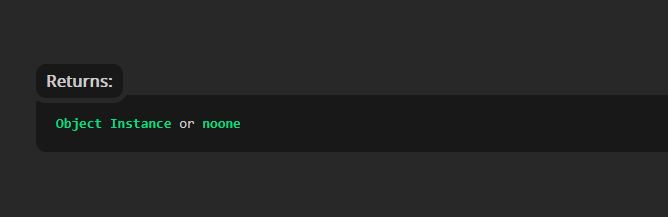
collision_point()You can see that in the arguments of the function, we are providing the mouse’s coordinates in the room for the position, and obj_enemy for the object to check for (we don’t need to worry about the final two arguments right now).
This means that if there is an instance of obj_enemy under the mouse, _inst will end up holding the reference to that instance. If there’s not, it’ll hold noone.
Now that we’ve got the reference, we can access it in one of two ways: dot notation or using a with() statement. Let’s look at both.
Dot Notation
_inst.hp = _inst.hp - 1;Similar to how we use global. to create and access global variables, we can use a stored reference followed by a period . and then natively access the variables belonging to the instance the reference points at.
So you can see the code is exactly the same as how we would access the players hp from within the player, with the only change being that we are adding _inst. in front of all the variables now.
Alternatively, we have the with() statement.
with() Statement
with (_inst) {
	hp = hp - 1;
}
In this format, we use the with() statement in a similar way to an if statement, except instead of evaluating an expression, we supply a reference.
That “switches” scope for the duration of the with() statement (the opening and closing curly brackets {} like the if statement), and then we can natively access the instance variables for that instance. After the closing curly bracket we move back into our “normal” scope (the player object, in this example).
For an excellent breakdown of the distinction between objects and instances, with lots of information on how to get access to out of scope instance variables, I highly recommend the What’s The Difference: Objects and Instances forum thread by FrostyCat.
So for the full example, with the code being in the Step Event of obj_player, it might look like this:
var _inst = collision_point(mouse_x, mouse_y, obj_enemy, false, true);
if (instance_exists(_inst)) {
	_inst.hp = _inst.hp - 1;
}
We try to get the reference of any instances of obj_enemy under the mouse cursor, we have to guard against the fact that collision_point() can return noone instead of a reference, so we run an if statement with the instance_exists() expression as the condition, and if the instance exists, we access it’s variables using dot notation.
with() And Instanceswith() actually does an implicit instance existence check, so if we decided to use with() instead of dot notation, it would look like this:
var _inst = collision_point(mouse_x, mouse_y, obj_enemy, false, true);
with (_inst) {
	hp = hp - 1;
}
Using with() we don’t need to worry about checking for the existence, or using dot notation for the variables. with() also has a few other interesting features, which we’ll touch on in another lesson.
Overall there are a few different kinds of scope that your code can sit in:
- Global scope: Accessible anywhere anytime. Our function declarations and global variables live here, and we don’t need to worry about any scope switching to access them.
- Instance scope: What we just dealt with in regards to our enemy
hpand trying to access other instances. - Local scope: For local variables, they are scoped to a specific event or function, and can’t be accessed outside of the scope they are declared in.
There are nuances to scope that you will learn over time as you program, but thinking of it in these terms is usually enough to handle the requirements of most games.
Try it: Choose the variable type
An enemy's hp should usually be unique to each enemy. What kind of variable is that?
Scope practice
Short checks for global access and changing another instance through a reference.
Task: Write a global variable
Write one line that stores 0.75 in global.audio_volume.
Task: Use dot notation
Using the _inst reference, write one line that subtracts 1 from that enemy's hp.